Not Motion Graphics.
My work extends beyond the screen into physical design and prototyping. Through collaborations with Wieden + Kennedy’s Creative Engineering team and ongoing personal projects, I explore 3D design, digital fabrication, and electronics. This collection includes both professional and independent work focused on translating ideas into tangible objects.

Minecraft Toys
Client: McDonalds
Scripting Examples for Animation
Bracelet Generator
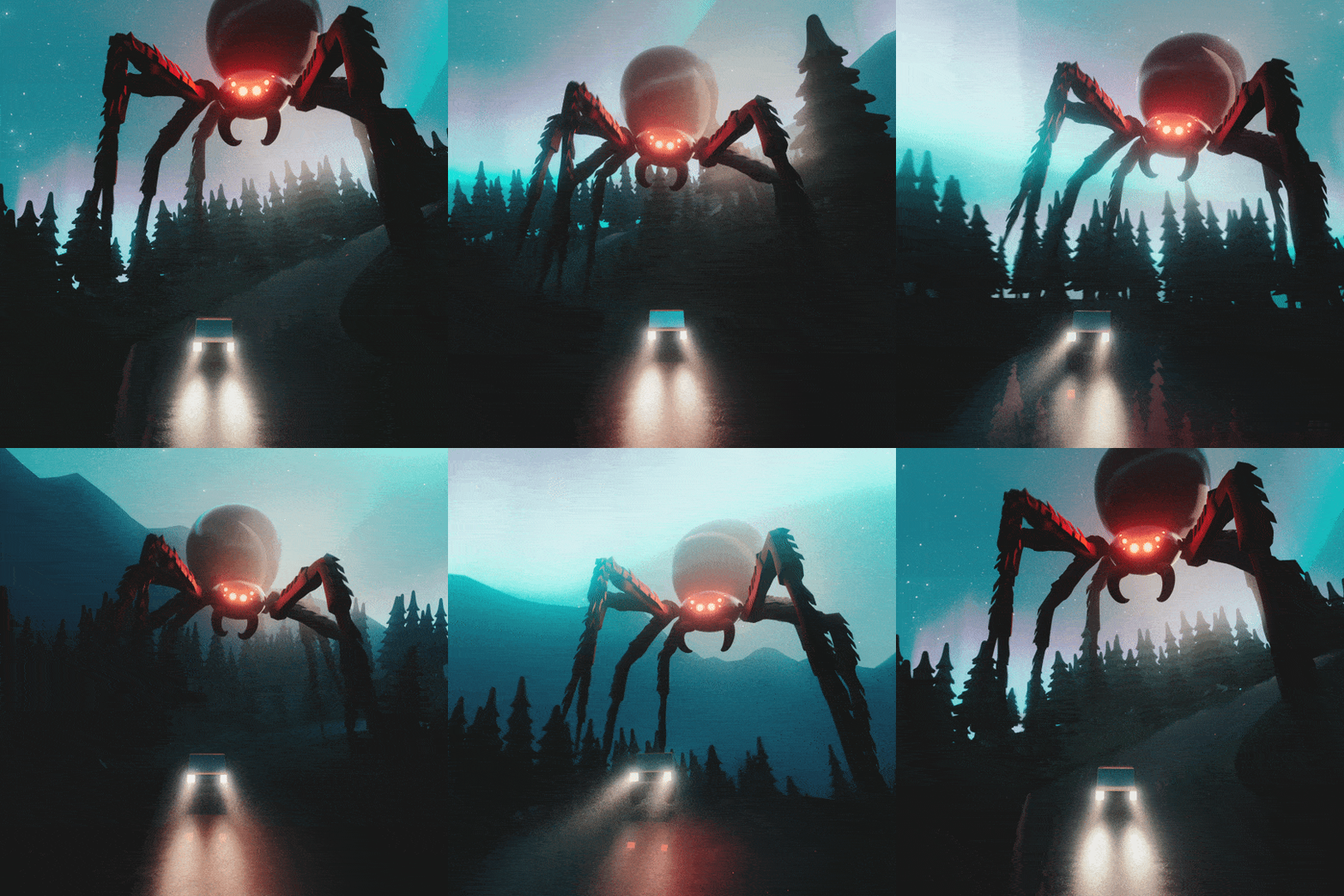
The visuals for this campaign were based on friendship bracelets. I wrote a Python script in Cinema 4D that procedurally generates a bracelet from a predefined library of bead geometries. By changing the name of a layer and re-running the script, the bracelet automatically rebuilds and stays linked to the animation, allowing for rapid iteration and versioning.
Inverse Kinematic Rig for After Effects
// Bracelet Generator
import c4d
import copy

# Helper function to get the correct object index from the character
def get_object_index_from_char(char):
    # For standard characters 'A'-'Z', 'a'-'z', and '0'-'9'
    if 'A' <= char <= 'Z':  # A to Z
        return ord(char) - ord('A')  # Index 0-25 for A-Z
    elif 'a' <= char <= 'z':  # a to z
        return ord(char.upper()) - ord('A')  # Also map lowercase to A-Z range
    elif '0' <= char <= '9':  # 0 to 9
        return ord(char) - ord('0') + 26  # Index 26-35 for 0-9
    # Handle special characters '+', '?', '<', '>', '$', '*', '_'
    special_chars = {'+': 36, '?': 37, '<': 38, '>': 39, '$': 40, '*': 41, '_': 42, '=': 43}
    return special_chars.get(char)

def check_conditions(cloner, linked_object):
    # Conditions that need to be met for the script to set the clone count correctly
    warnings = []

    # Check if the cloner is in Object Mode (ID_MG_MOTIONGENERATOR_MODE == 0)
    if cloner[c4d.ID_MG_MOTIONGENERATOR_MODE] != 0:
        warnings.append("Cloner is not in Object Mode.")

    # Check if the linked object is a spline
    if linked_object and linked_object.GetType() not in [c4d.Ospline, c4d.Osplinecircle, c4d.Osplinerectangle]:  # Add more spline types as needed
        warnings.append("The linked object is not a spline.")

    # Check if the spline mode is set to 0 (MG_SPLINE_MODE == 0)
    if cloner[c4d.MG_SPLINE_MODE] != 0:
        warnings.append("Cloner distribution is not set to 'count' (MG_SPLINE_MODE is not 0).")

    return warnings

def populate_cloner(cloner):
    try:
        doc = c4d.documents.GetActiveDocument()  # Get the active document

        cloner_name = cloner.GetName()  # Get the name of the cloner object

        # Validate the cloner name
        if not cloner_name:
            c4d.gui.MessageDialog("Error: Cloner name is empty.")
            return

        # Check for linked object (MG_OBJECT_LINK)
        linked_object = cloner.GetParameter(c4d.MG_OBJECT_LINK, c4d.DESCFLAGS_GET_0)
        if linked_object:
            print(f"Cloner is cloning over object: {linked_object.GetName()}")
        else:
            c4d.gui.MessageDialog("Cloner does not have a linked object.")
            return

        # Search for the selection object by name
        selection_obj = doc.SearchObject("character_refs")  # Replace with the actual name of the selection object
        if not selection_obj:
            c4d.gui.MessageDialog("Error: Selection object not found.")
            return

        # Access the In-/Exclusion list (InExcludeData) from the selection object
        in_exclude_list = selection_obj.GetParameter(c4d.SELECTIONOBJECT_LIST, c4d.DESCFLAGS_GET_0)

        if not in_exclude_list or in_exclude_list.GetObjectCount() == 0:
            c4d.gui.MessageDialog("Error: The selection object list is empty.")
            return

        # Clear existing children in the cloner
        children = cloner.GetChildren()
        for child in children:
            doc.AddUndo(c4d.UNDOTYPE_DELETE, child)
            child.Remove()

        # Track the last inserted instance for InsertAfter
        last_instance = None

        # Count the number of clones
        clone_count = 0

        # Collect warnings for unassigned characters
        unassigned_warnings = []

        # Iterate through each character in the cloner's name
        for i, char in enumerate(cloner_name):
            # Create a new instance object for each character, including underscores
            instance = c4d.BaseObject(c4d.Oinstance)

            # Special naming for $, *, and _
            if char == "$":
                instance.SetName("heart_instance")
            elif char == "*":
                instance.SetName("star_instance")
            elif char == "_":
                instance.SetName("Filler_bead_instance")  # Renaming for underscore instances
            else:
                instance.SetName(f"{char}_instance")  # Default naming with character followed by _instance

            # Get the corresponding object index from the character
            object_index = get_object_index_from_char(char)

            if object_index is not None and object_index < in_exclude_list.GetObjectCount():
                ref_object = in_exclude_list.ObjectFromIndex(doc, object_index)
                if ref_object:
                    print(f"Assigning reference object {ref_object.GetName()} to instance '{char}'.")
                    instance[c4d.INSTANCEOBJECT_LINK] = ref_object  # Link the instance to the reference object
                else:
                    unassigned_warnings.append(f"Warning: No reference object found for character '{char}'. Instance left empty.")
                    instance[c4d.INSTANCEOBJECT_LINK] = None  # Leave the instance unassigned
            else:
                # Character does not have a corresponding object in the list, leave the instance empty and warn
                unassigned_warnings.append(f"Warning: Character '{char}' is unassigned, instance object left empty.")
                instance[c4d.INSTANCEOBJECT_LINK] = None  # Leave the instance unassigned

            # Add the instance object as a child of the cloner
            if last_instance is None:
                instance.InsertUnder(cloner)
            else:
                instance.InsertAfter(last_instance)

            # Track the current instance as the last inserted one
            last_instance = instance

            # Increase clone count
            clone_count += 1

        # Update the clone count using the correct parameter
        cloner.SetParameter(c4d.MG_SPLINE_COUNT, len(cloner_name), c4d.DESCFLAGS_SET_0)

        # Print the length of the name and the clone count
        print(f"Cloner name length: {len(cloner_name)}")
        print(f"Number of clones created: {clone_count}")

        # After the script finishes running, check if any warnings need to be issued
        warnings = check_conditions(cloner, linked_object)
        if warnings:
            warning_message = "\n".join(warnings)
            c4d.gui.MessageDialog(f"Warning: Cloner count couldn't be set due to the following reasons:\n{warning_message}")

        # Display all collected unassigned warnings at once
        if unassigned_warnings:
            warning_message = "\n".join(unassigned_warnings)
            c4d.gui.MessageDialog(f"Unassigned Character Warnings:\n{warning_message}")

        # Update Cinema 4D document
        c4d.EventAdd()

    except Exception as e:
        c4d.gui.MessageDialog(f"Error: {e}")

# Main function to run the script on the selected object
def main():
    doc = c4d.documents.GetActiveDocument()  # Get the active document
    selected_object = doc.GetActiveObject()  # Get the currently selected object

    # Check if the selected object is a cloner
    if selected_object and selected_object.GetType() == c4d.Omgcloner:
        populate_cloner(selected_object)
    else:
        c4d.gui.MessageDialog("Error: No cloner object selected. Please select a cloner object and run the script.")

# Run the main function
if __name__ == "__main__":
    main()
//noodleIK Rig

function solveAngle(a, b, c) { //solves for C
	var x = (a * a + b * b - c * c) / (2 * a*b);
	return radiansToDegrees(Math.acos(clamp(x,-1,1)));
}

function findSlope(P1,P2){
	m = P2-P1;
	return radiansToDegrees(Math.atan2(m[1],m[0]));
}

function midPoint(P1,P2,i){
i = i/100;
P1 = P1*(1-i);
P2 = P2*(i);
return P1+P2;
}


//variables
point_A = thisLayer.toWorld(anchorPoint);
point_B = []
point_C = thisComp.layer("noodleRig | CNTRL").toWorld(anchorPoint);

bendDirection = -thisComp.layer("noodleRig | CNTRL")("Effects")("Noodle Rig")("Bend Direction");

length_b = length(point_A,point_C);

limbLength = thisComp.layer("noodleRig | CNTRL")("Effects")("Noodle Rig")("Limb Length");
limbRatio = thisComp.layer("noodleRig | CNTRL")("Effects")("Noodle Rig")("Limb Ratio");
limbShrink = thisComp.layer("noodleRig | CNTRL").effect("Noodle Rig")("Shrink");

openStrength = thisComp.layer("noodleRig | CNTRL").effect("Noodle Rig")("Tangent Strength")/100;
closeStrength = thisComp.layer("noodleRig | CNTRL").effect("Noodle Rig")("Closed Tangent Strength")/100;


openTans = thisComp.layer("noodleRig | CNTRL").effect("Noodle Rig")("Tangent Ratio");
closeTans = thisComp.layer("noodleRig | CNTRL").effect("Noodle Rig")("Closed Tangent Ratio");


tanInOpen = linear(openTans,-100,100,0,100);
tanOutOpen = linear(openTans,-100,100,100,0);

tanInClose = linear(closeTans,-100,100,0,100);
tanOutClose = linear(closeTans,-100,100,100,0);
tanRot = [0];

//-------------------------------------------------


if(length_b >= limbLength){
	limbLength = length_b;
	} else {
		  limbLength = linear(Math.abs(bendDirection),0,1,length_b,limbLength);
	}


if (bendDirection < 0){
	iAdj = -1;
	} else {
		iAdj = 1;
		}

limbLength_adj = linear(length_b, 0,limbLength,limbLength*limbShrink/100,limbLength);

length_a  =  limbLength_adj*limbRatio/100;
length_c  =  limbLength_adj-limbLength_adj*limbRatio/100;

angle_A=-clamp(solveAngle(length_b,length_a,length_c),-180,180)*iAdj;
angle_B=clamp(solveAngle(length_a,length_c,length_b),-180,180);


slope_AC = findSlope(point_A,point_C);

angle_A = degreesToRadians(slope_AC-(angle_A));
point_B=[length_a*Math.cos(angle_A),length_a*Math.sin(angle_A)];
midPoint = midPoint(point_A,point_C,limbRatio);
slope_B = findSlope(point_B,midPoint-point_A)+90*iAdj;

if (Math.round(angle_B)>=180){
	tanRot = slope_AC;
} else{
	tanRot = slope_B;
}

pathPoint = [point_A,point_B,point_C]

tanRot = degreesToRadians(tanRot);

tanStrength = linear(angle_B, 0,180,closeStrength,openStrength);

tanInStrength = linear(angle_B, 0,180,tanInClose,tanInOpen);
tanInLength = length_a*tanInStrength/100*tanStrength;
tanInPos=[tanInLength*Math.cos(tanRot),tanInLength*Math.sin(tanRot)];
tanIn =  [tanInPos[0],tanInPos[1]];

tanOutStrength = linear(angle_B, 0,180,tanOutClose,tanOutOpen);
tanOutLength = length_c*tanOutStrength/100*tanStrength;
tanOutPos=[tanOutLength*Math.cos(tanRot),tanOutLength*Math.sin(tanRot)];
tanOut =  [tanOutPos[0],tanOutPos[1]];

createPath(points = [[0,0],pathPoint[1],pathPoint[2]-pathPoint[0]], inTangents = [[0,0],-tanIn,[0,0]], outTangents = [[0,0],tanOut,[0,0]], is_closed = false)
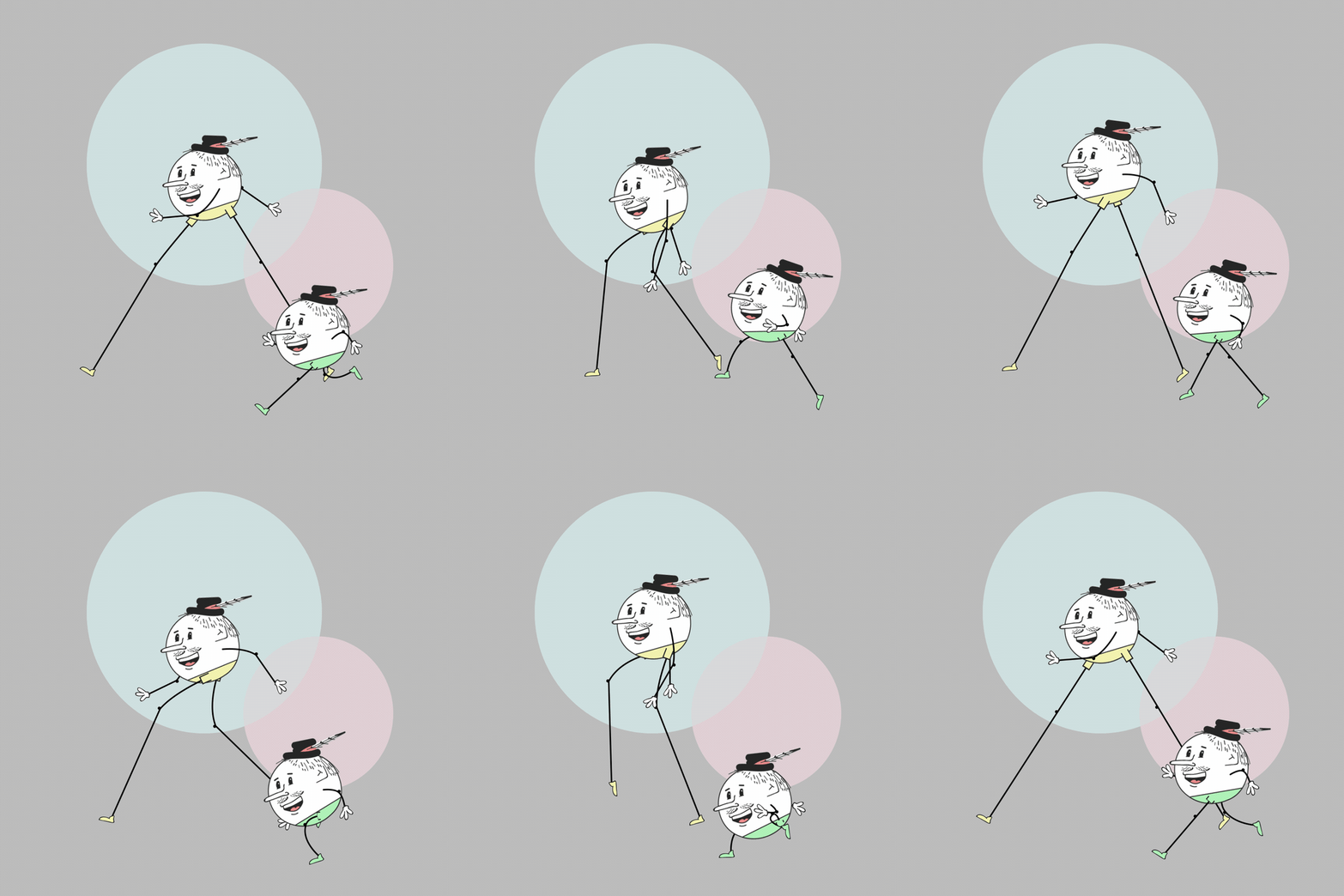
Unhappy with existing IK solutions, I set out to build my own inverse kinematics rig in JavaScript for After Effects. The rig supports standard IK behavior, while also introducing the ability to morph between two states based on the angle of the chain. What sets it apart is its vector-based approach, which drives After Effects’ internal shape paths directly, leveraging their tangents to create flexible, noodle- or rubber-hose-style motion. The system was later adapted to Cinema 4D for use in 3D animation, rebuilt as a node-based rig using the same underlying logic.
Creative Engineering & Prototyping
While working at Wieden+Kennedy, I was fortunate to collaborate closely with the Creative Engineering department. Through that partnership, I developed my skills in designing 3D objects intended to integrate with the electronic projects they were building. Drawing on my background in 3D design and 3D printing, I created custom parts to meet their needs, as well as designing and prototyping my own technology-driven objects.
Monocular Adapter for iPhone
This is a custom phone case I designed and 3D printed to hold a small monocular as an external lens for my phone. The case uses a series of embedded magnets to guide and rotate the monocular into position over each of the iPhone’s three camera lenses, allowing it to snap quickly and securely into place.
Moon Phase Clock
Powered by a pi pico, this ongoing project creates a physical representation of the lunar phase using a rotating sphere to accurately present the current phase of the moon..
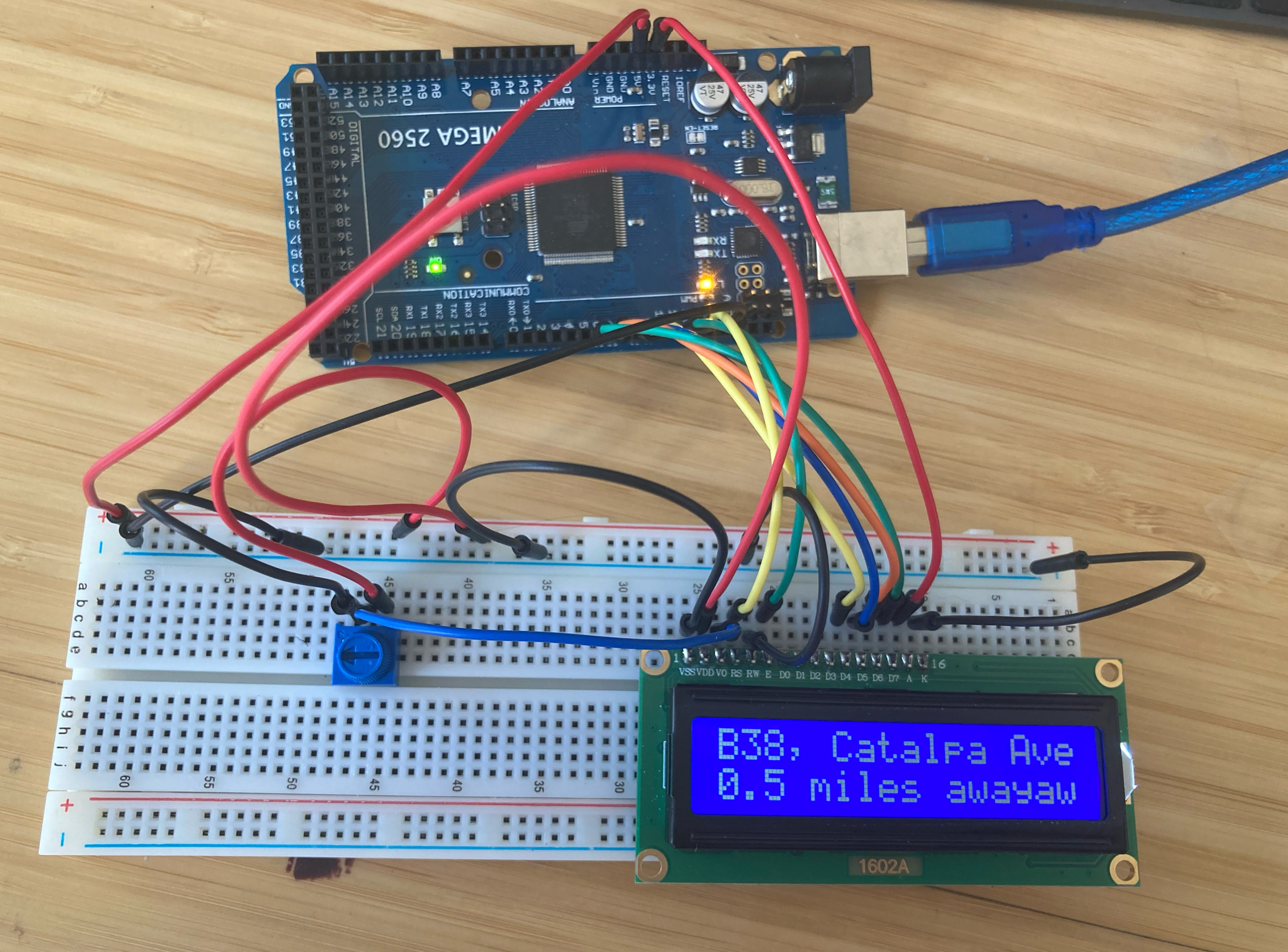
Bus Timer
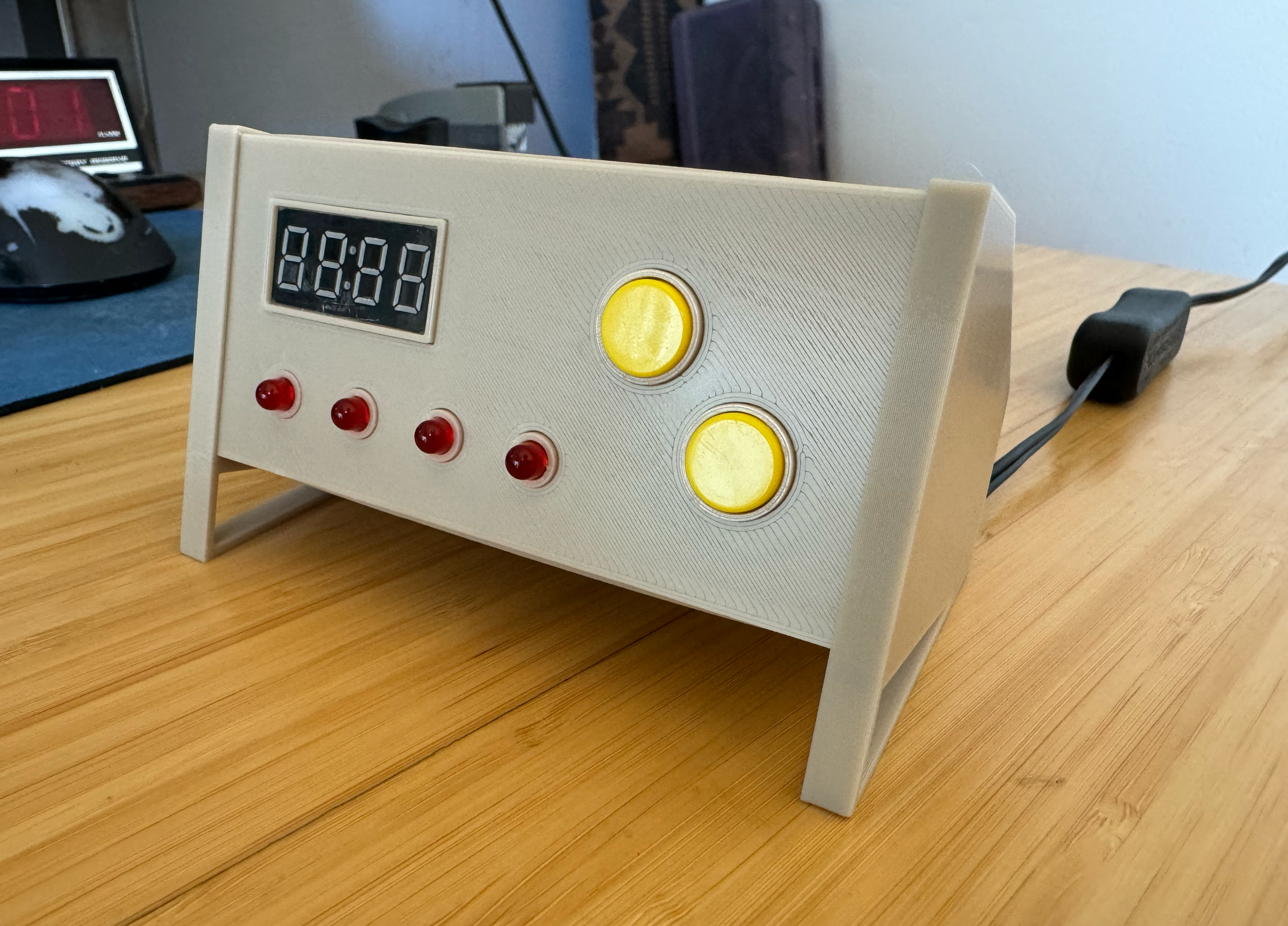
This is an ongoing project with one purpose. When’s the next bus?
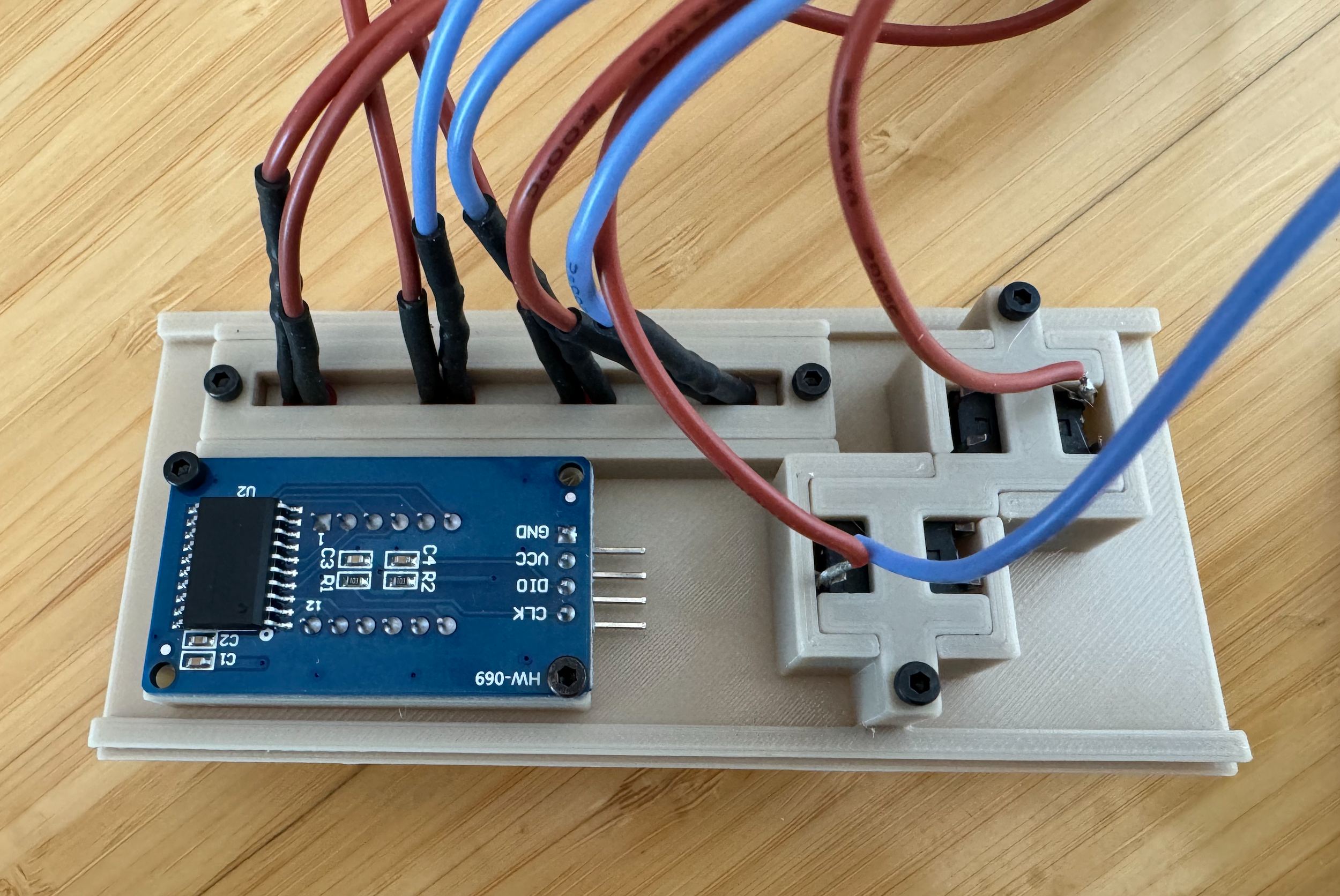
The device has been developed both for Raspberry Pi Pico and Arduino and uses Google’s GTFS API to retrieve live transit data. The Pico displays upcoming bus information on a small screen, with physical buttons that allows me to scroll between arrival times and view the next available buses.
I often use my downtime to explore technologies adjacent to animation. This series highlights a few tests I created while experimenting with augmented reality.
AR Studies
Oscar the Grouch Filter
This filter first separates a person from their environment, recolors them green, and places them inside a virtual trash can, with a tap-triggered interaction to open and close the lid.
Fry Helmet Filter
Another test takes the Fry Helmet Minecraft toy I designed and composites it onto the user’s head in selfie mode.
Hamburglar Box Filter
The final experiment identifies a source image (a bundle box), uses it to orient the scene, and triggers an animation of the Hamburglar running around the box.